TikTok Bio Link That Actually Sells (2026 Setup Guide)
Learn how to set up a TikTok bio link that converts followers into customers. Step-by-step guide with strategies, tools, and real examples for 2026.
TikTok gives you exactly one clickable link. One URL to turn millions of potential impressions into actual customers, subscribers, or booked calls. Most creators waste it with a basic Linktree page that gets ignored. This guide shows you how to set up a TikTok bio link that actually drives sales — with the strategy, tools, and structure to make every tap count.
What you'll learn
How to add a link to your TikTok bio (including the workaround if you don't have 1,000 followers yet), how to structure that link for conversions instead of just clicks, and the content strategies that drive real traffic from your videos to your bio.

Why your TikTok bio link matters more than ever
TikTok has over 1.5 billion monthly active users, and its audience skews toward people who actually buy. Unlike other platforms where users scroll passively, TikTok viewers develop strong parasocial trust with creators — which means when you direct them somewhere, they go.
But here's the catch: TikTok's algorithm pushes content to people who don't follow you. Your video might reach 100,000 viewers, but only a fraction will visit your profile. Of those, even fewer will tap your bio link. Every step has friction, so the link they land on needs to work hard and convert fast.
That's why a generic link list isn't enough. Your TikTok bio link is the bridge between content and revenue — and it needs to be built with intention.
How to add a link to your TikTok bio
Before talking strategy, let's cover the basics. TikTok has specific requirements for adding a clickable link.
If you have a Business Account: You can add a website link regardless of follower count. Go to your profile, tap "Edit Profile," and look for the "Website" field. Paste your full URL (including https://) and save.
If you have a Personal Account: You need at least 1,000 followers to unlock the website link field. Once you hit that threshold, the "Website" option appears in your profile editor.
If you're under 1,000 followers: Switch to a Business Account temporarily. It takes 30 seconds, and you can always switch back. Go to Settings → Account → Switch to Business Account. The website field appears immediately.
Pro tip: don't waste the URL on your homepage
Your homepage is designed for multiple audiences and multiple goals. Your TikTok audience is specific — they came from a video about a specific topic. Your bio link should match that specificity. A dedicated bio link page with conditional logic converts far better than a generic homepage.
The problem with a plain URL
Most creators do one of two things: they link directly to their website homepage, or they use a basic link-in-bio tool that shows a list of buttons.
Both approaches share the same flaw: they treat every visitor identically. But the person who found you through a skincare tutorial is completely different from the one who watched your business advice video. Sending them to the same page means neither gets what they need.
A plain list of links also forces the visitor to make a decision — "Which of these 8 links is for me?" — and most people choose none. Decision fatigue kills conversions. Research consistently shows that fewer, more targeted options outperform long lists.
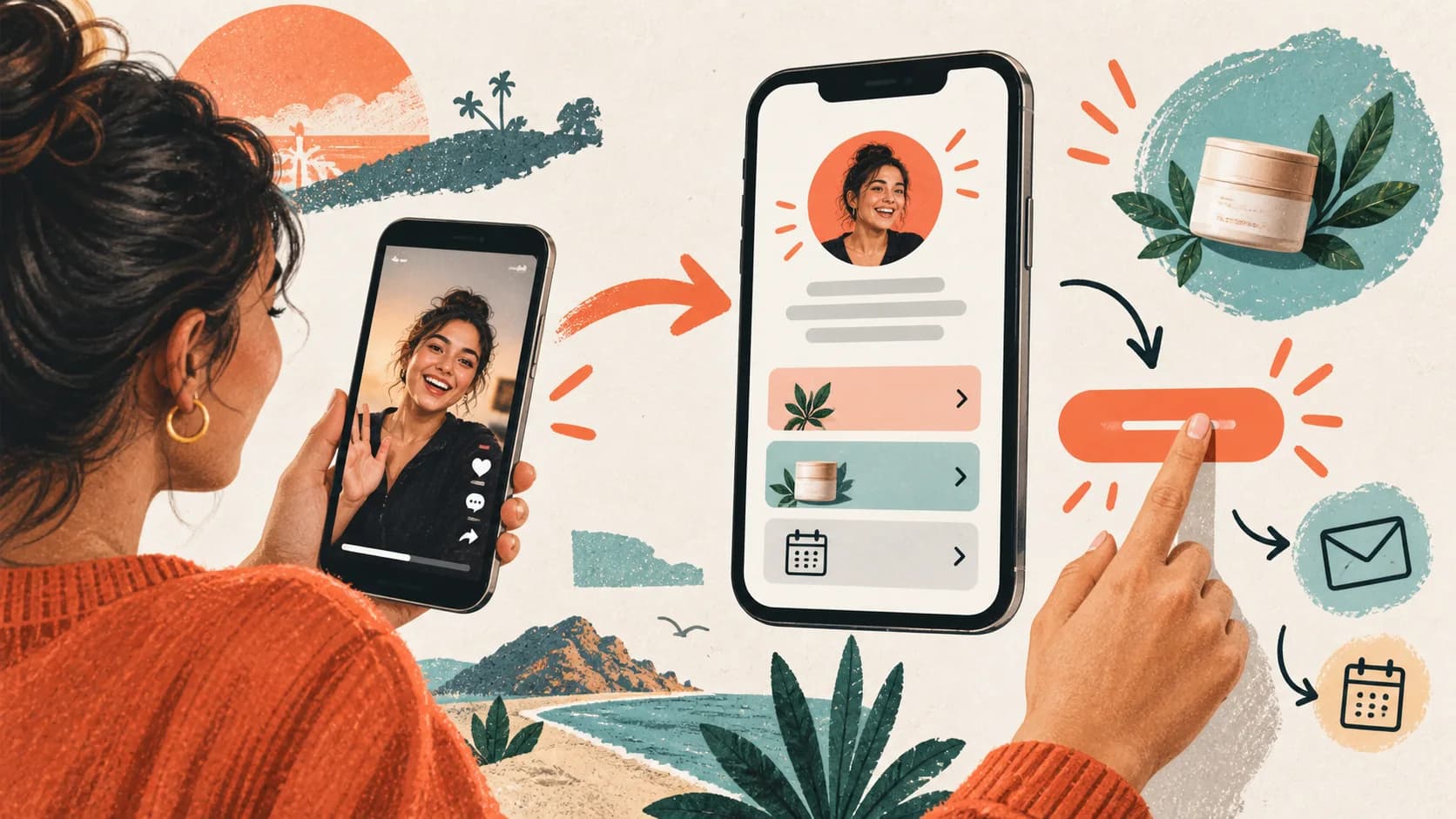
The fix is simple: instead of a list, build a path. Ask visitors one quick question, then show them exactly the right next step. This is the bio link funnel approach, and it works especially well on TikTok because viewers arrive with high intent but low patience.
What a high-converting TikTok bio link looks like

A TikTok bio link that actually sells has three layers:
Layer 1 — The hook (first screen). A clear headline that tells the visitor they're in the right place. Not your name, not your title — the outcome they want. "Find the right skincare routine for your skin type" beats "Sarah's Links" every time.
Layer 2 — The qualifier (1-2 questions). A simple choice that segments the visitor: "What are you looking for?" or "Where are you in your journey?" This step does two things: it personalizes the experience, and it micro-commits the visitor, making them more likely to take the final action.
Layer 3 — The conversion screen. Based on their answers, visitors see a tailored destination with one clear call to action: book a call, grab a free resource, buy a product, or join a waitlist. One screen, one action, no distractions.
This structure works because it mirrors how TikTok itself works: short, fast, personal. Viewers are used to content that feels made for them — your bio link should feel the same way.
Common mistake: too many steps
Keep your funnel to 3 screens maximum. TikTok users have extremely short attention spans outside the app. Every additional click between your video and your conversion point loses roughly 40-60% of visitors. Three screens is the sweet spot between personalization and speed.
TikTok bio link strategy by business type
The right setup depends on what you sell and how you sell it.
Coaches and consultants should focus on booking qualified calls. Your bio link funnel should ask one question about the visitor's current situation, then route serious prospects to a calendar booking and casual browsers to a free resource that captures their email. This approach is how the top coaches qualify leads without wasting time on unqualified calls.
Digital product sellers (courses, templates, ebooks) benefit from a "choose your level" approach. Let visitors self-select between beginner, intermediate, and advanced, then show the product that matches. If you have a product suite, this prevents the paradox of choice that kills sales pages.
Service providers (photographers, designers, freelancers) should lead with portfolio-style social proof, then a quick qualifier ("What type of project are you planning?"), and finally a contact form or booking page. The key is showing relevant work samples based on the visitor's answer — a wedding photographer showing corporate headshots loses the bride.
E-commerce brands can use the bio link to feature trending products, limited drops, or curated collections. Rotate your featured items to match your latest content. If your viral video was about a specific product, make sure it's the first thing visitors see when they tap your bio link.
How to drive more clicks from TikTok to your bio link
Having a great bio link is only half the equation. You also need to get people to actually tap it. Here are the strategies that consistently work:
Pin a "Start Here" video. Pin a short video to the top of your profile that explicitly tells new visitors what they'll find in your bio link. This single move can increase bio link clicks by 30% or more because it catches people who browse your profile before deciding to follow.
Use verbal CTAs in your videos. The phrase "link in bio" still works — but it works better when you add context. "Full breakdown in my bio" or "I built a free tool for this — it's in my bio" gives people a reason to tap, not just a direction.
Create content that creates demand for the link. A video that says "here are 3 signs your skincare routine is wrong" naturally makes viewers want the solution — which lives in your bio link. The best TikTok-to-bio-link content creates a gap between what viewers learn in the video and what they can get by tapping.
Leverage the comment section. Reply to comments with "I actually made a guide for this — check the link in my bio." This drives traffic from your highest-engagement videos to your bio link, and it feels helpful rather than salesy.
Post consistently at peak hours. More views means more profile visits means more bio link taps. TikTok rewards consistency, and every piece of content is a potential entry point to your bio link.
Choosing the right bio link tool for TikTok
Not all bio link tools are built for TikTok's reality. Here's what matters:
Mobile-first design is non-negotiable. Over 95% of TikTok traffic comes from mobile. If your bio link tool wasn't designed mobile-first, your visitors are getting a subpar experience. Test any tool on your phone before committing.
Page speed matters more than aesthetics. TikTok users tap your bio link with a specific intent. If the page takes more than 2 seconds to load, a significant percentage will bounce. Choose a tool that loads instantly — not one that loads a heavy JavaScript bundle before showing content.
Conditional logic changes everything. A static list of links forces visitors to self-navigate. Conditional logic lets you ask one question and automatically show the right content. This is the difference between a 2% conversion rate and a 15% conversion rate.
Most traditional link-in-bio tools — Linktree, Taplink, Lnk.Bio — are built for listing links, not for converting visitors. They don't support conditional logic, lead capture forms, or personalized routing. Tools like SellBio are designed specifically for creators and businesses who want their bio link to sell, not just organize.
If you're still comparing options, our guide to choosing the best link-in-bio tool breaks down exactly what features matter for different use cases, and our Linktree alternatives comparison covers the top options side by side.
Set up and test your TikTok bio link
Here's the quick-start path:
- Decide your primary goal: sales, bookings, email captures, or content distribution
- Write your hook headline — one sentence that matches your TikTok audience's intent
- Create one qualifying question with 2-3 clear options
- Build a conversion screen for each answer path with a single CTA
- Add your bio link URL to your TikTok profile
- Pin a "Start Here" video that drives traffic to your bio
That's it. You can refine and optimize later, but this foundation will outperform any static link list from day one. The key is getting something live that matches your content, then iterating based on what your analytics tell you.
Explore SellBio plans, choose the page structure that fits your goal, and test the complete journey on mobile before publishing.
Your TikTok bio link is the highest-leverage asset in your entire social media strategy. It's the only clickable bridge between your content and your business. Treat it like a sales page, not a bookmark folder, and you'll see the difference in your results within days.
Related reads
- How to build a bio link funnel — Step-by-step guide to creating conversion paths from your bio
- Complete link-in-bio guide 2026 — Everything you need to know about link-in-bio tools and strategies
- SellBio vs Linktree — Side-by-side feature comparison for creators and businesses
Ready to turn followers into customers?
Sell products, capture leads, take bookings, and guide every visitor from one link.