SellB.io vs Linktree 2026: Features, Pricing & Why Creators Switch
An honest feature-by-feature comparison of SellB.io and Linktree in 2026. See where each tool wins on funnels, analytics, monetization, pricing, and who should use which.

Linktree is the tool that started the link-in-bio category. It still has the most brand recognition and the largest user base. But recognition is not the same as capability — and in 2026, a lot of creators, coaches, and freelancers are finding that a static list of links is leaving money on the table.
SellB.io takes a fundamentally different approach: instead of a page of buttons, it gives you interactive funnels with conditional logic, a visual flow builder, built-in analytics with heatmaps, and a native store — all from the same bio link. The question is whether that extra capability matters for your specific use case.
This comparison goes feature by feature, pricing tier by tier, so you can decide for yourself.
How we compared
We tested both platforms on real accounts, building the same use case (a coaching lead qualification funnel) on each. We compared features available at each pricing tier, not just what's theoretically possible. Pricing reflects March 2026 rates.
Quick verdict
| Category | SellB.io | Linktree |
|---|---|---|
| Bio page / link list | ✅ Yes | ✅ Yes |
| Interactive funnels | ✅ Visual builder | ❌ Not available |
| Conditional logic (split paths) | ✅ Yes | ❌ No |
| Lead capture | ✅ Native (email, name, phone) | ⚠️ Only via integrations |
| Analytics | ✅ Heatmaps, events, A/B testing | ⚠️ Basic (clicks, views) |
| Digital products | ✅ 6 product types | ⚠️ Commerce Links (redirect) |
| Booking / appointments | ✅ Built-in | ❌ No (needs Calendly) |
| AI generation | ✅ Store + SEO generation | ❌ No |
| CRM | ✅ Native | ❌ No |
| Import tool | ✅ Import from Linktree | — |
| Free plan | ✅ Yes | ✅ Yes |
| Starting price | Starter plan | €4.50/mo (Starter) |
The short version: Linktree is simpler and works fine if you just need a list of links. SellB.io is the better choice if you want to qualify leads, sell products, book appointments, or track visitor behavior beyond basic clicks — all from a single bio link.
What each tool does
Linktree is a link aggregation page. You add links, customize the design, and share one URL in your bio. Visitors see a list of buttons and click the one they want. It's straightforward, well-known, and it does that job well. Over the years, Linktree has added features like email collection, scheduling links, and basic commerce integrations — but at its core, every visitor still sees the same static page.
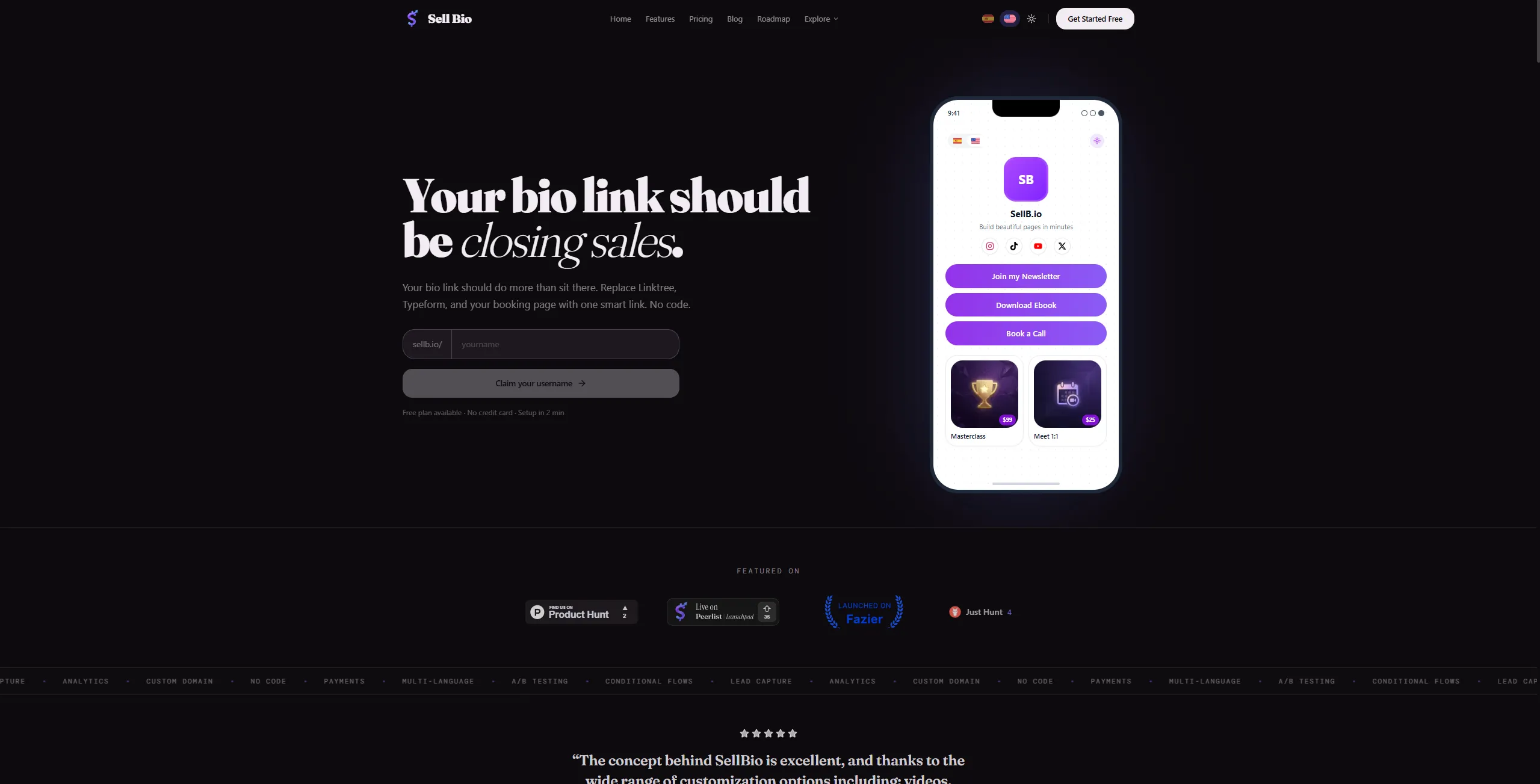
SellB.io starts with the same concept (a bio page with your links and social profiles) but adds a layer on top: interactive flows. A flow is a sequence of screens — think of it as a micro-funnel embedded in your bio link. You can capture leads with a form screen, qualify them with questions, show different content based on their answers (split paths), embed videos, add Spotify playlists, and direct them to book a call or buy a product. The visual flow builder lets you design branching logic by connecting screens on a canvas — no code needed.
The fundamental difference: Linktree shows every visitor the same page. SellB.io lets you create personalized journeys based on who's visiting and what they need.
Feature-by-feature comparison
Bio page & link management
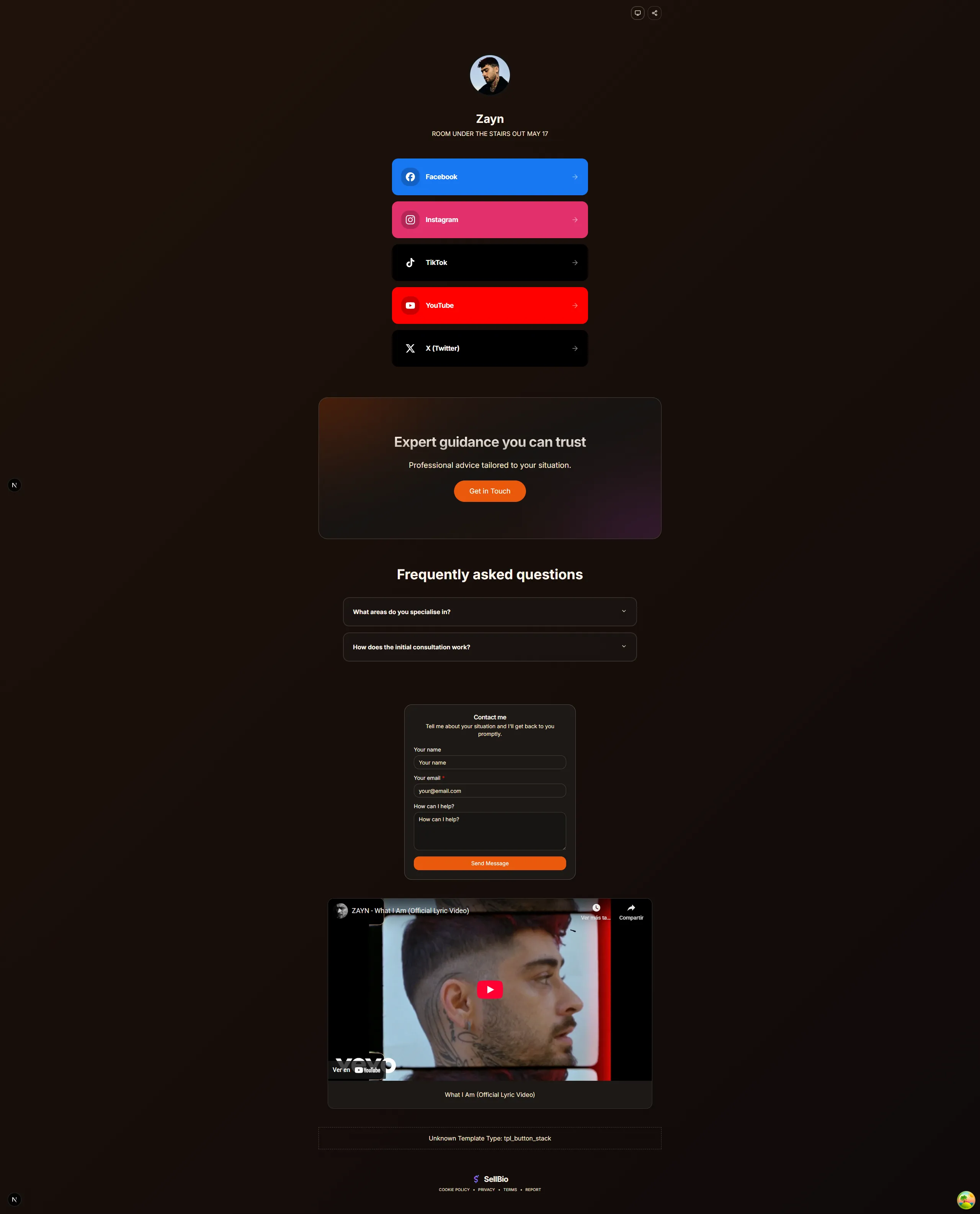
Both tools let you create a bio page with links, social icons, and a profile image. Linktree has more third-party integrations for specific link types (Spotify embed, YouTube embed, etc.). SellB.io also supports embeds (Spotify, Vimeo, YouTube) plus sections like FAQ, contact forms, and social proof — all configurable from the store editor, with a live mobile preview and an AI-powered "Generate Store with AI" feature that builds your entire page from a description.
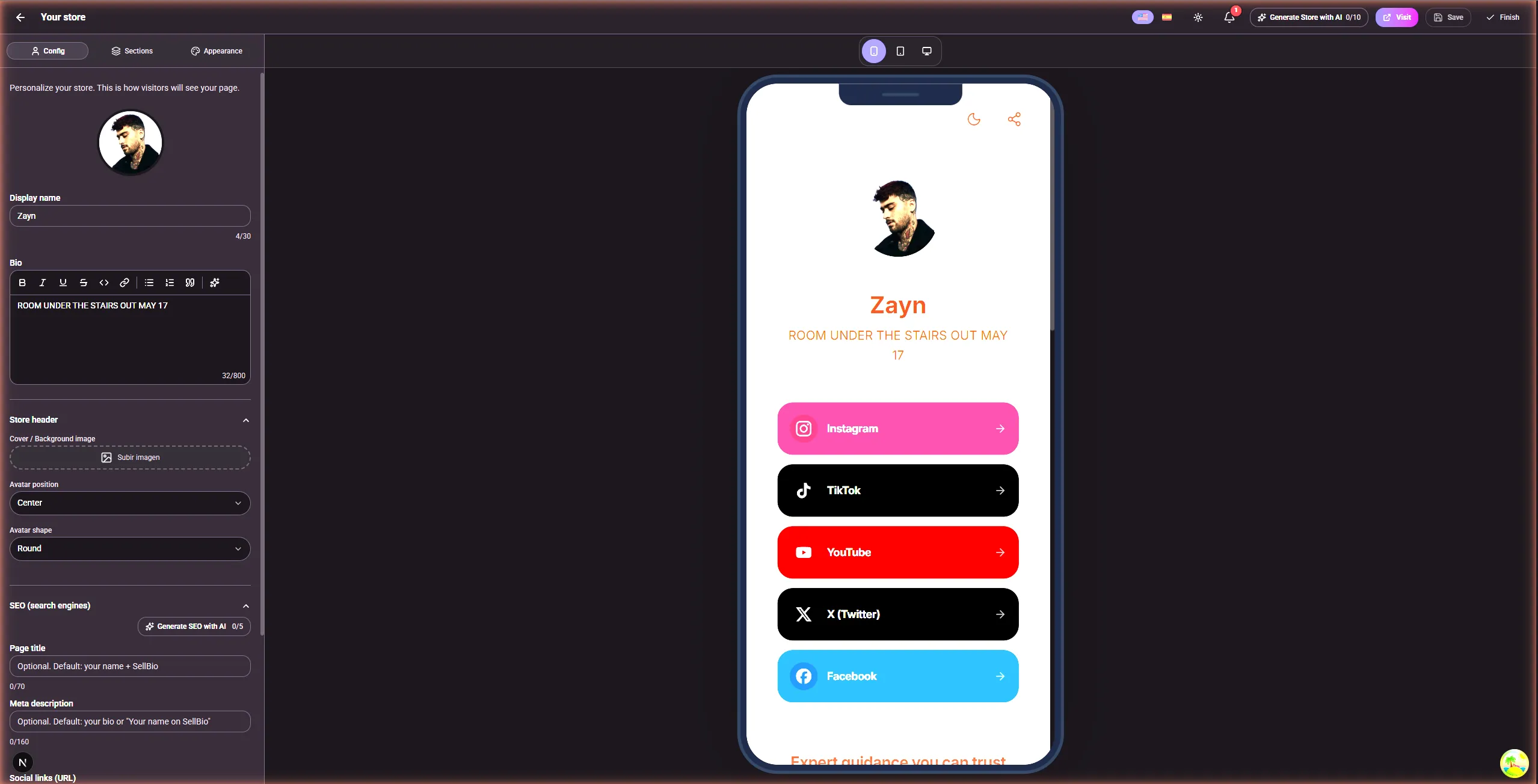
For basic link management, both do the job. Linktree's interface is more familiar; SellB.io's editor gives you more control over layout and sections.
Funnels & conversion flows
This is where the two tools diverge completely.
Linktree has no funnel capability. You can add a "Mailing list sign-up" link type, but there's no way to create a multi-step experience, ask qualifying questions, or show different content based on visitor behavior. Every visitor sees the same static page.
SellB.io includes a full flow builder with two modes. Basic mode is a linear sequence of screens (Hook → Capture → Confirm). Advanced mode is a visual graph editor built with React Flow — you drag screens onto a canvas, connect them with edges, and add split path nodes that route visitors based on their answers. Each screen can contain any combination of components: text, CTA buttons, forms, video embeds, audio players, testimonials, and more.
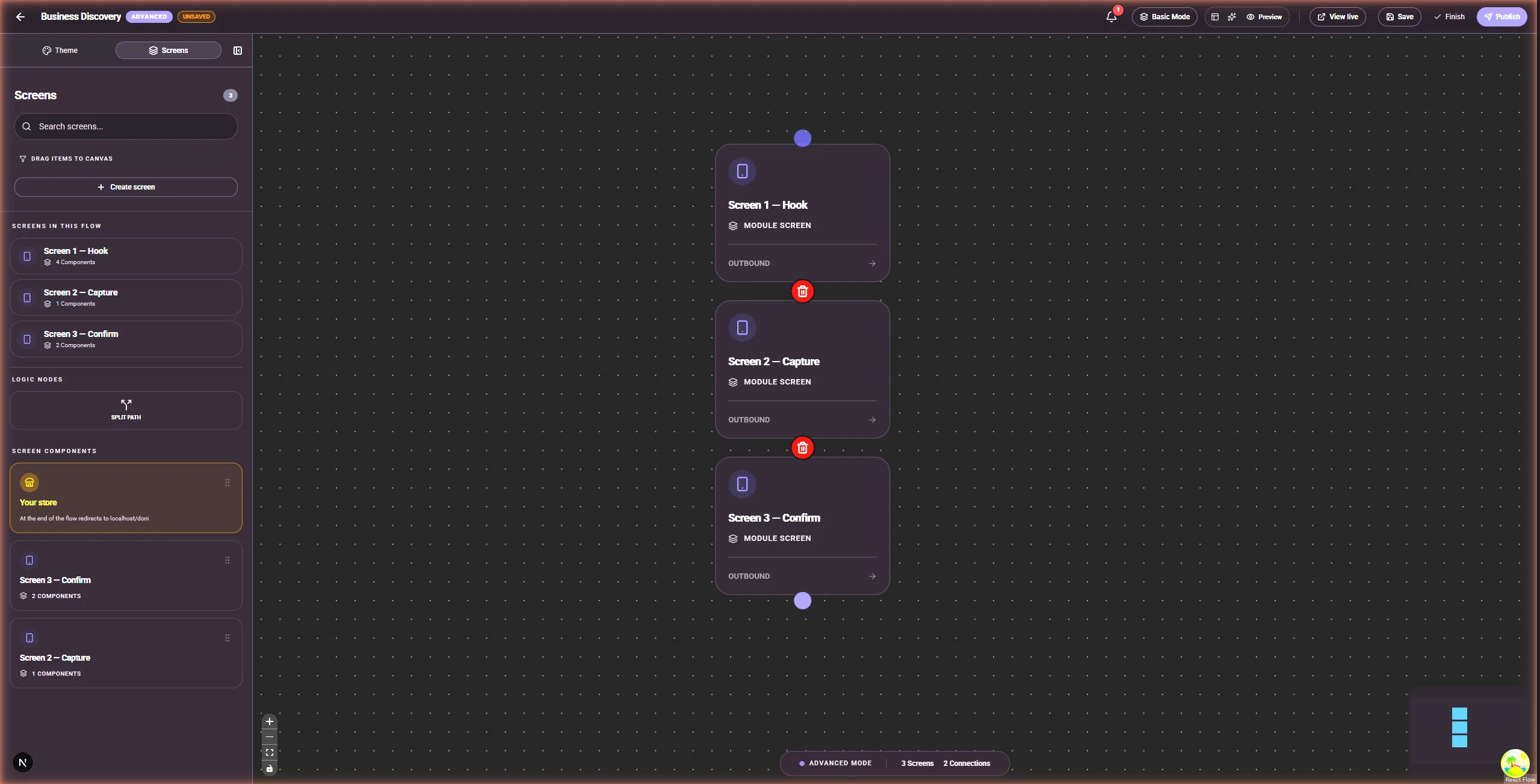
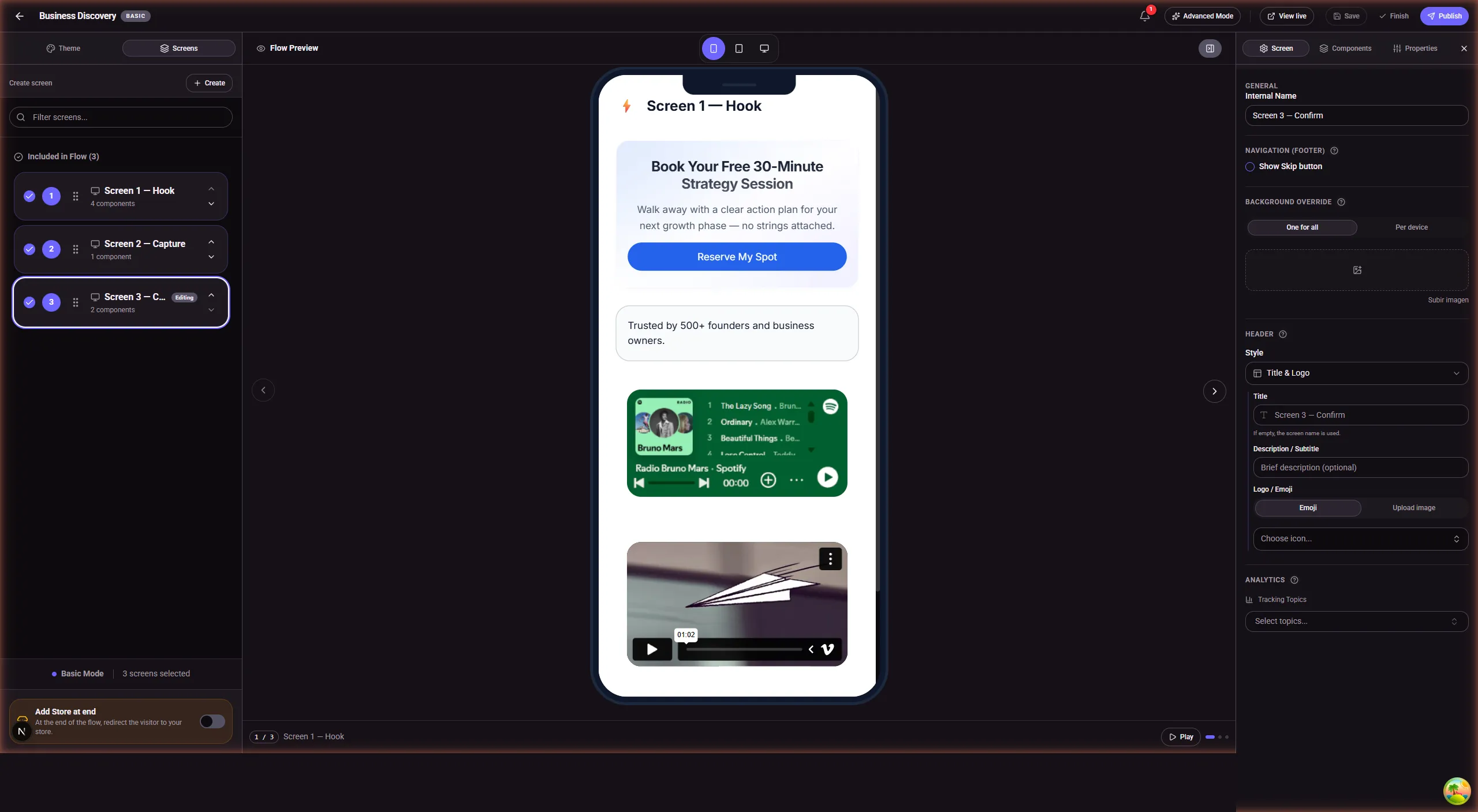
The flow builder is a feature not currently available in Linktree's product, at any price tier (as of March 2026).
Analytics & tracking
Linktree offers basic analytics: total views, clicks per link, click-through rate, and top locations. The Pro plan adds subscriber analytics and deeper traffic data. Premium unlocks revenue tracking and conversion rate for commerce links.
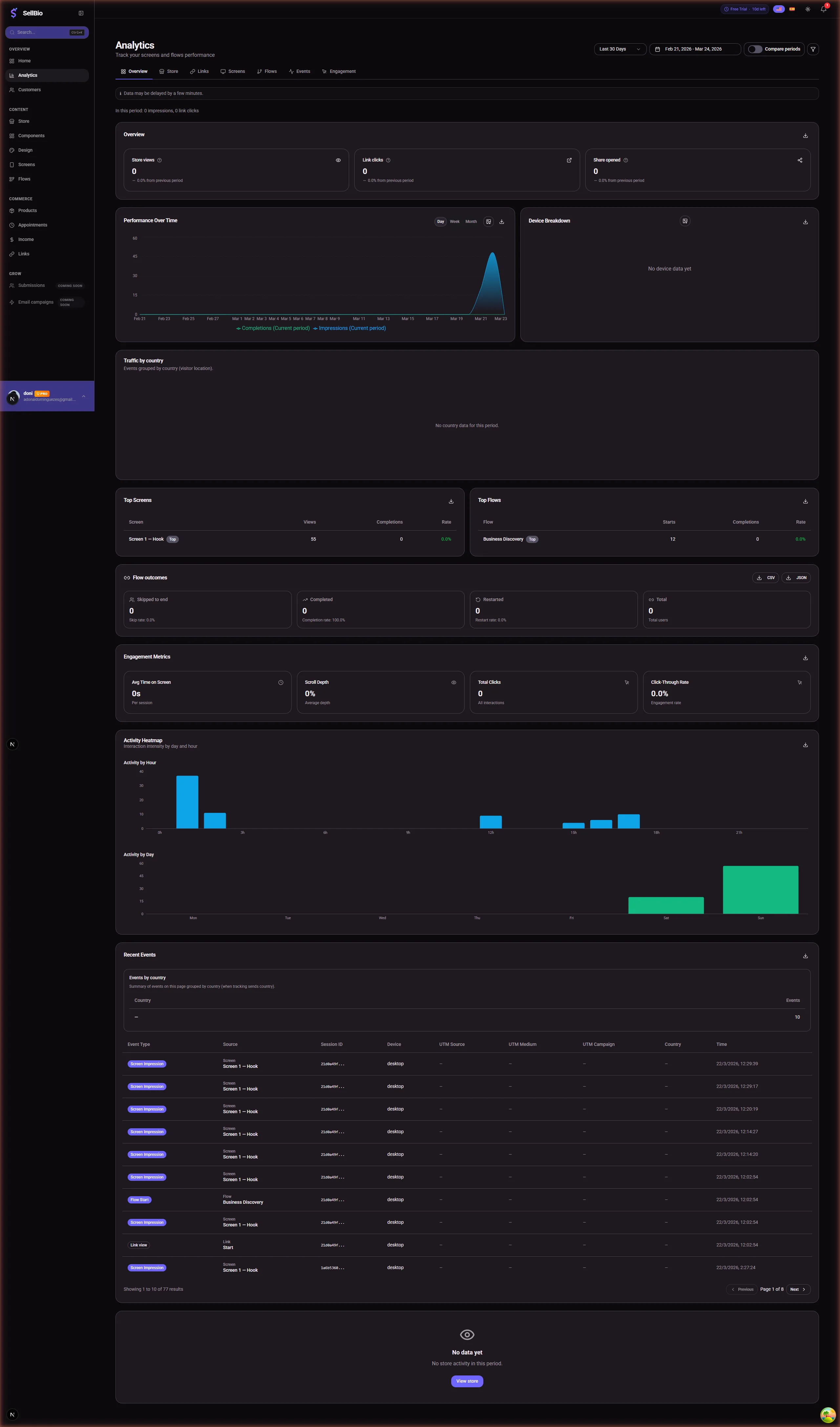
SellB.io takes analytics significantly further. The dashboard includes an overview with store views, link clicks, and shares, plus dedicated tabs for Store, Links, Screens, Flows, Events, and Engagement metrics. You get a "Performance Over Time" chart with period comparisons, device breakdown, traffic by country, and — most notably — an activity heatmap that shows interaction intensity by day and hour. The events table tracks individual interactions (screen impression, link click, flow start) with session IDs, source, device, UTM parameters, and timestamps.
The engagement metrics include average time on screen, scroll depth, total clicks, and click-through rate — data that Linktree simply doesn't provide.
Monetization & digital products
Linktree has "Commerce Links" that redirect to external payment processors and "Payment Lock" links that gate content behind a paywall. It also offers tipping. But Linktree doesn't host products — it links to where your products live elsewhere.
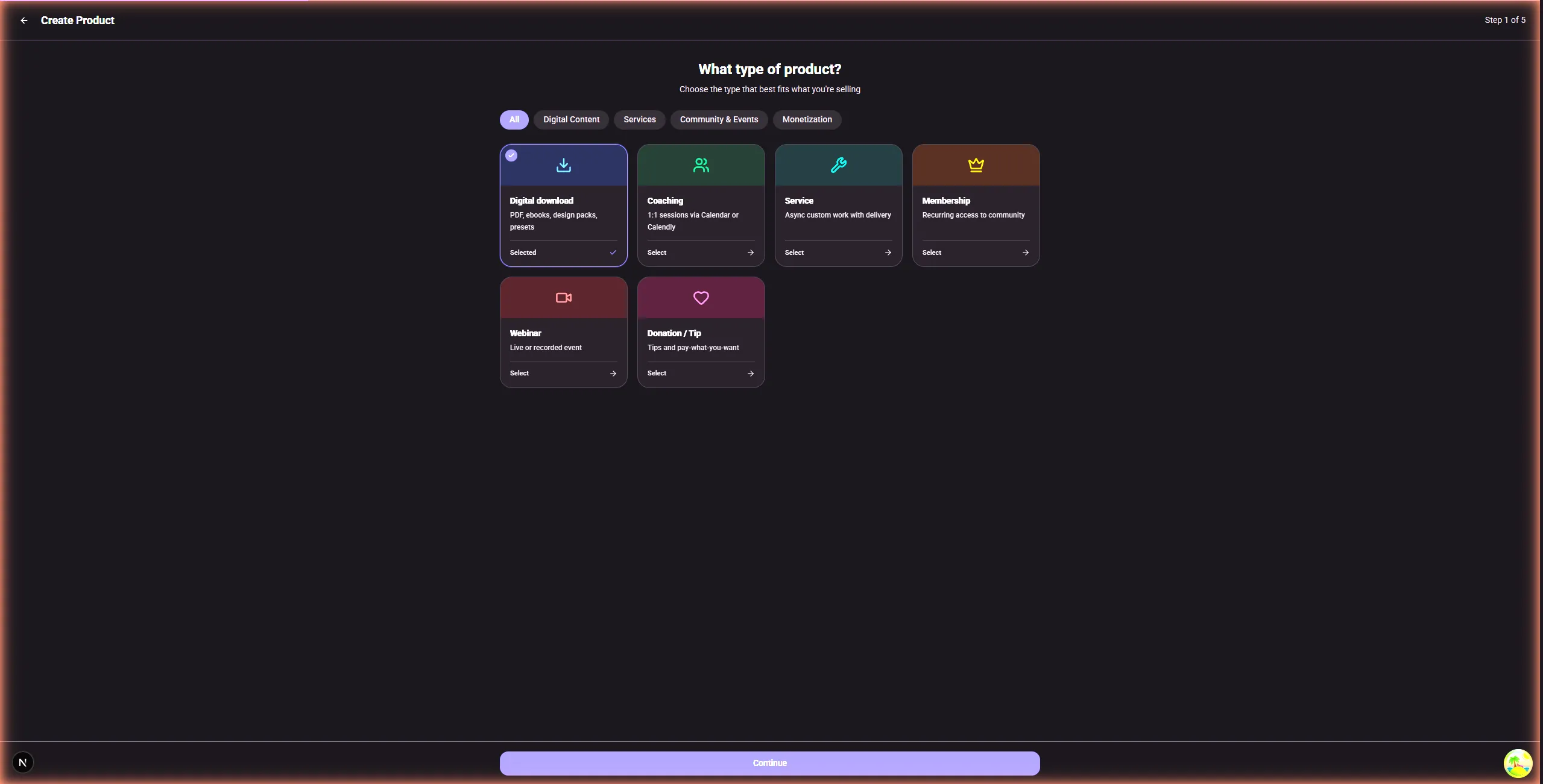
SellB.io has a native product creation system with six product types: Digital Downloads (PDFs, ebooks, presets), Coaching (1:1 sessions via Calendar or Calendly), Services (async custom work), Memberships (recurring access), Webinars (live or recorded events), and Donations/Tips. Payments are processed through Stripe Connect, meaning money goes directly to your account — SellB.io doesn't hold your funds.
The difference: Linktree points visitors to your products elsewhere. SellB.io lets you create, host, and sell products from the same platform.
Booking & appointments
Linktree doesn't have native booking. You link out to Calendly, Cal.com, or similar tools. This means another subscription, another step for the visitor, and another place where data lives.
SellB.io has built-in appointment scheduling with Google Calendar and Calendly integrations. Visitors can book directly from a flow screen — no external redirect. Combined with lead capture and qualification questions, this means a visitor can go from seeing your bio link to booking a call in under 60 seconds, without leaving the experience.
AI features
Linktree doesn't currently offer AI-powered features in its product.
SellB.io offers two AI capabilities: "Generate Store with AI" creates a complete bio page from a text description (available in the store editor with up to 10 generations), and "Generate SEO with AI" produces optimized page titles and meta descriptions for your bio page (up to 5 generations). These are included in the plan at no extra cost.
CRM & lead management
Linktree doesn't have a CRM. Email subscribers collected through Linktree can be exported or synced to Mailchimp.
SellB.io includes a native Customers section where leads captured through flows and store forms are tracked. You can see visitor details, interaction history, and segment based on flow completion.
Pricing breakdown
Linktree pricing (March 2026)
| Plan | Price | Key features |
|---|---|---|
| Free | $0/mo | Unlimited links, basic analytics, Linktree branding |
| Starter | $5/mo | Remove branding, scheduled links, email subscriber collection |
| Pro | $9/mo | Advanced analytics, SEO settings, subscriber analytics |
| Premium | $24/mo | Priority support, commerce analytics, custom domains |
Pricing and features accurate as of the publication date. Please verify current offerings on each platform's website.
SellB.io pricing
| Plan | Price | Key features |
|---|---|---|
| Free | €0/mo | Bio page, limited flows, basic analytics |
| Starter | Affordable | More flows, screens, analytics, free design presets |
| Pro | Premium | Unlimited everything, all themes, AI, CRM, advanced analytics |
SellB.io offers a 14-day free trial on Starter that doesn't require a credit card, so you can test the full feature set before committing.
The real cost comparison
If you currently use Linktree Pro ($10.50/mo) + Typeform ($25/mo) + Calendly ($10/mo) to qualify leads and book calls, you're spending $45.50/month across three tools. SellB.io replaces all three — forms, funnels, booking, and the bio page — in a single subscription.
Who should use Linktree
Linktree is still a good choice if your needs are simple. Specifically, it makes sense if you only need a list of links with no interactive elements, if you don't capture leads or qualify visitors from your bio link, if you prioritize simplicity and brand familiarity over advanced features, or if you need specific third-party embed types that Linktree supports natively.
Linktree invented this category, and for a basic "here are my links" page, it works. The free plan is genuinely usable for simple use cases.
Who should use SellB.io
SellB.io is built for people who want their bio link to do more than list buttons. You should consider it if you're a coach, consultant, or freelancer who qualifies leads before they book, if you sell digital products and want everything in one place (no separate Gumroad or Payhip), if you need to show different content to different visitors (conditional logic), if analytics matter to you — specifically knowing not just how many clicks but how visitors behave (time on screen, scroll depth, heatmaps), if you're currently paying for multiple tools (bio link + forms + booking + CRM) and want to consolidate, or if you're a musician, fitness trainer, or creator who wants a bio link that converts visitors into customers instead of just redirecting them.
How to switch from Linktree in 5 minutes
SellB.io includes an import tool that pulls your existing Linktree setup — links, ordering, and profile info — into your new SellB.io store. The process takes less than five minutes.
Step 1: Create your SellB.io account and claim your username.
Step 2: In the dashboard, look for the Import option and select "Import from Linktree."
Step 3: Follow the prompts to connect your Linktree data. Your links and profile transfer automatically.
Step 4: Customize your design using one of the built-in themes (Minimal, Ocean, Sunset, Forest) or create a custom look.
Step 5: Add your first flow — a simple Hook → Capture → Confirm sequence takes about 3 minutes to set up.
Step 6: Update your Instagram/TikTok bio link to your new SellB.io URL.
That's it. Your existing links keep working, and now you have funnels, analytics, and lead capture on top.
Try it risk-free
SellB.io offers a 14-day free trial with no credit card required. Import your Linktree, build your first flow, and see if the conversion data justifies the switch. If it doesn't work for you, you've lost nothing.
FAQ
Can I use SellB.io and Linktree at the same time?
Yes. Some users keep their Linktree while testing SellB.io by using SellB.io links in specific campaigns. But once you see the analytics and conversion data from interactive flows, most users switch completely.
Does SellB.io work with Instagram, TikTok, and other platforms?
Yes. SellB.io generates a single URL that works anywhere you'd put a Linktree link — Instagram bio, TikTok bio, YouTube description, Twitter/X bio, LinkedIn, and anywhere else.
Is there a free plan?
Yes. SellB.io has a free plan that includes a bio page and limited flows. The 14-day Starter trial (no card required) gives you access to more features so you can evaluate properly.
What happens to my Linktree links when I switch?
Your old Linktree URL continues to work — Linktree doesn't delete your account. You can keep it as a backup while you transition. The SellB.io import tool copies your link structure so visitors see the same links on your new page.
Does SellB.io support custom domains?
SellB.io currently provides branded URLs at sellb.io/yourusername. Custom domain support is on the roadmap.
How does the visual flow builder work?
You create screens (each one is a step in your funnel), add components to each screen (text, CTA, form, video, social proof), and then connect screens together. In Basic mode, screens flow linearly. In Advanced mode, you use a drag-and-drop canvas to create branching paths — for example, sending "I need coaching" visitors to a booking screen and "I want to buy a course" visitors to a product screen.
Ready to turn followers into customers?
Claim your username and start building interactive funnels from your bio link. Free to start, no code.