YouTube Bio Link Strategy: Turn Subscribers Into Customers
Your YouTube bio link is your most underused channel asset. Learn how to structure it as a conversion funnel that turns viewers into paying customers in 2026.
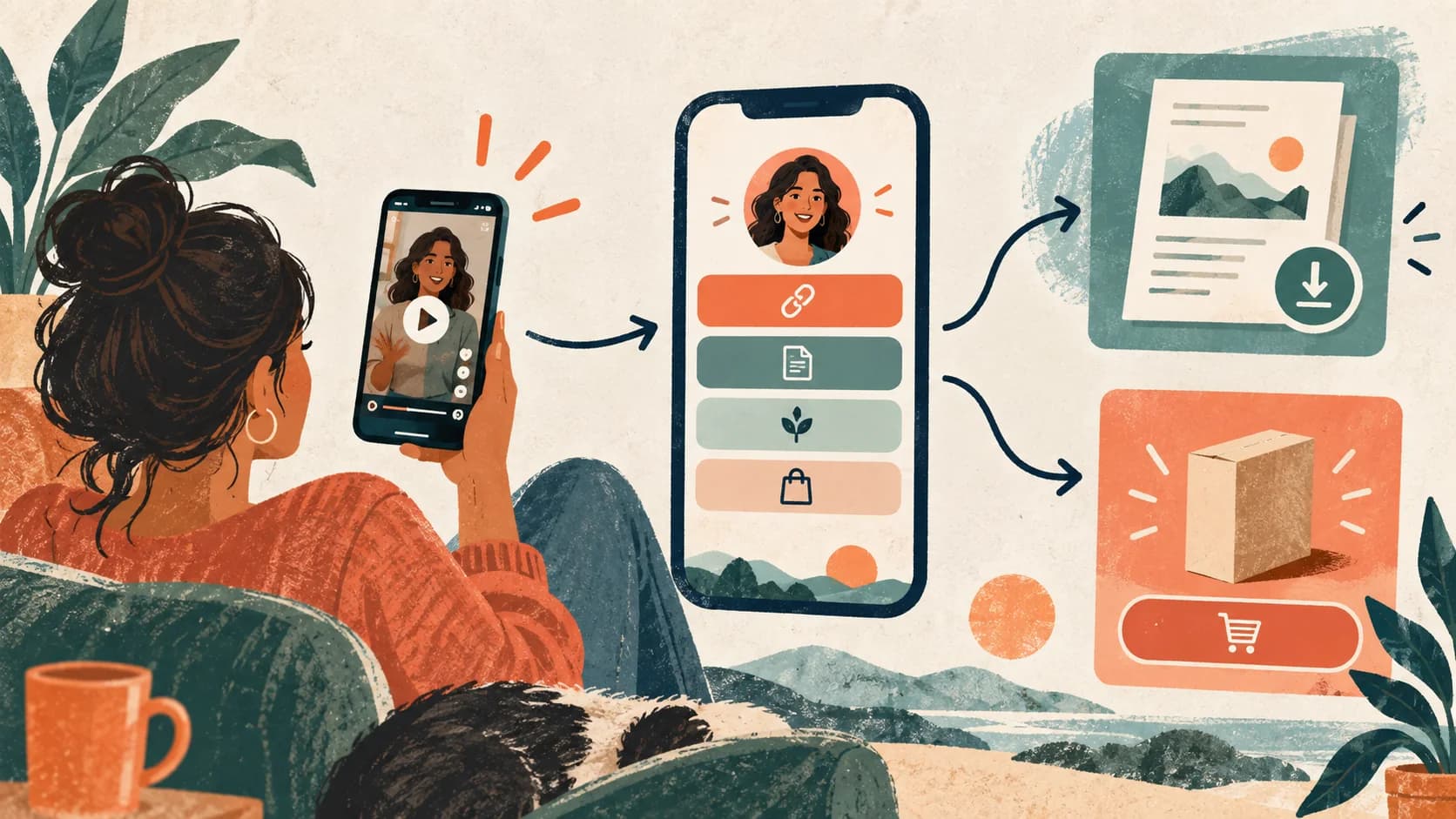
YouTube is the only platform where people willingly spend 10, 20, even 60 minutes watching a single creator. That level of attention builds a different kind of trust — and most creators completely waste it with a generic list of links in their bio. This guide shows you how to turn your YouTube bio link into a system that converts that hard-earned trust into subscribers, clients, and sales.
What you'll learn
How YouTube bio links actually work (and where they appear), why a static link page loses most of your YouTube traffic, and how to structure your bio link as a funnel that matches the way YouTube audiences think and buy.

Why your YouTube bio link is different from other platforms
On TikTok or Instagram, viewers encounter you in a moment of scrolling. The relationship can be seconds old. On YouTube, by the time someone visits your channel's About page or clicks your bio link, they've likely watched multiple videos — sometimes over weeks or months.
That changes everything about how your bio link should work.
YouTube viewers arrive with context. They know what you teach, they like how you explain things, and they're already pre-sold on your credibility. What they need isn't a list of seven links to scroll through. They need one clear, obvious next step that matches wherever they are in their journey with you.
This is why treating your bio link like a simple link hub costs YouTube creators so much revenue. The audience is warm — the bio link is cold. That mismatch kills conversions.
Where your links actually appear on YouTube
Before getting into strategy, it helps to understand the technical reality. YouTube gives you two main places where bio links appear, and they behave differently.
Your channel's About section. When you add links in YouTube Studio (Customization → Basic info → Links), YouTube displays up to 5 of them directly on your channel banner and in your About tab. This is prime real estate — visible to every visitor who lands on your channel page, whether they arrived from a video recommendation or searched for you directly.
Video descriptions. The first two lines of your video descriptions are visible without expanding — everything else is hidden behind "Show More." Placing your bio link in those first two lines of every description (with a clear hook) is one of the highest-ROI habits a YouTube creator can build. A viewer watching your fifth video sees your link five times, across multiple sessions, with growing intent to click.
Placement tip: one link to rule them all
Rather than splitting attention across multiple links in your descriptions and About section, route everything through a single, smart bio link. That link handles the segmentation — not your channel page. One clean URL is easier to remember, easier to promote verbally in videos, and far easier to track and optimize.
The problem with using your bio link as a directory
Here's the scenario that plays out on most YouTube channels: a creator adds five links to their bio — their website, an email signup, a Patreon, a merch store, and maybe a podcast. Or they use a basic link-in-bio tool that shows eight labeled buttons.
The viewer who clicks is immediately faced with a choice. Which of these is for me? If they have to think, most of them leave. And the creator never finds out because the analytics from basic link tools are too shallow to reveal where exactly the friction happens.
The deeper problem is audience mismatch. Not everyone who visits your YouTube channel is at the same stage. A first-time viewer who stumbled on one video is not the same as a subscriber who has been watching you for six months and is ready to hire you or buy your course. But a static list of links treats them identically.
The shift from a bio link to a sell-in-bio approach solves this by turning your single link into a short guided experience — one that asks visitors what they're looking for and routes them to the right next step automatically.
What a high-converting YouTube bio link looks like
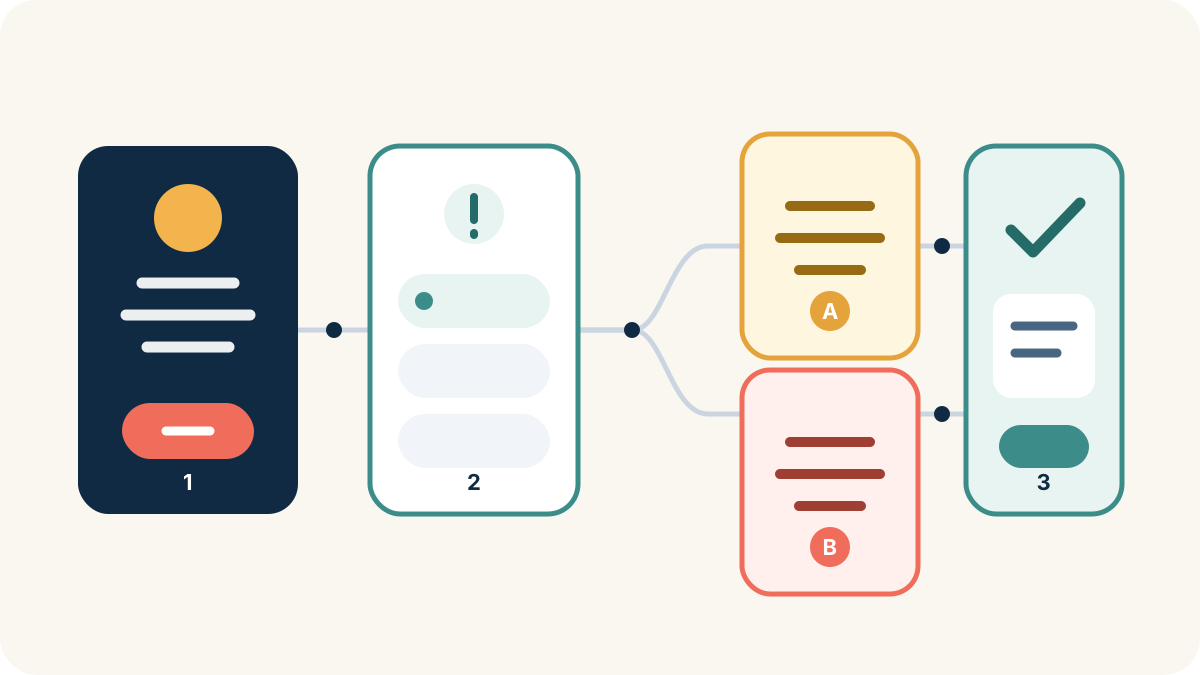
A YouTube bio link that consistently converts has three layers — and they work regardless of your niche or business model.
Layer 1 — A clear hook (first screen). Not your name, not your channel tagline. A headline that matches the intent of your YouTube audience. Something like "Ready to take the next step?" or "Find the right resource for where you are right now." This screen should feel like a natural continuation of the videos they've been watching.
Layer 2 — A single qualifying question. Ask visitors to self-select. "What are you looking for?" with 2-3 clean options does two things: it personalizes what they see next, and it creates micro-commitment, which increases the likelihood they'll take the final action. Good options might be "Learn for free," "Work with me," and "Get the course" — simple enough to answer in one tap.
Layer 3 — A targeted conversion screen. Based on their answer, visitors see one specific offer, one CTA, and no distractions. The person who said "Work with me" sees your services and a booking link. The person who said "Learn for free" sees your best lead magnet. No one has to wade through content that isn't for them.
This three-layer structure is the foundation of bio link funnels, and it's what separates channels that convert their subscribers from channels that just grow their subscriber count.
Don't overthink the qualification question
The best qualification questions on YouTube bio links are simple to the point of feeling obvious. "What best describes you?" or "What do you want to do next?" are better than clever or nuanced options. You have 5 seconds before the viewer decides it's not worth their effort. Keep it fast and obvious.
YouTube bio link strategy by creator type
The right structure depends on your business model. Here's how different types of YouTube creators should approach their bio link.
Coaches and consultants have one primary goal: qualified discovery calls. Your YouTube channel already does the pre-selling — viewers arrive knowing your approach and wanting more. Your bio link funnel should ask one question about their current situation or goal, then route ready-to-buy prospects to a calendar booking while sending browsers to a free resource (a PDF, checklist, or mini-video series) that captures their email. This is the same approach covered in depth in the guide on qualifying leads from your bio link.
Course creators should lead with audience segmentation. If you have multiple courses at different levels — beginner, intermediate, advanced — let visitors self-select. A learner who self-selects "intermediate" and sees your advanced course immediately knows it's probably not for them, and they don't resent you for it. A learner who sees exactly the right course for their level is significantly more likely to buy. This approach also works for creators with multiple niches or content series.
Freelancers and service providers using YouTube to attract clients should use their bio link as a portfolio gateway. One question — "What type of project are you planning?" — followed by a screen that shows relevant work samples and a contact or booking form. Showing a brand identity designer's logo work to someone looking for web design misses the mark. Conditional routing solves this without requiring multiple separate pages.
Educators and course-adjacent creators who monetize primarily through sponsorships and AdSense can still use their bio link to build a more valuable asset: their email list. Route visitors to a single high-value lead magnet — a template, a resource library, a cheat sheet — and capture emails that let you own the relationship independent of YouTube's algorithm.
E-commerce brands running YouTube should sync their bio link to their content calendar. If your most recent video featured a specific product, that product should be the first thing visitors see in your bio link. Static pages go stale fast on YouTube because new videos constantly bring new context. Tools that let you update your bio link page in minutes (not hours) are essential for brands posting regularly.
For creators with multiple revenue streams
If you sell courses, offer coaching, and have affiliate partnerships, your YouTube bio link becomes your segmentation engine. One link, one qualifying question, three different conversion paths. You don't need three separate landing pages — you need one smart bio link with conditional logic routing visitors to the right path automatically.
How to drive more clicks from YouTube to your bio link
A perfectly structured bio link doesn't matter if no one clicks it. Here's where most YouTube creators leave traffic on the table.
Put it in the first two lines of every description. Not buried at the bottom — the first two lines, every single video. Pair it with a specific reason to click: "Get the full template I used in this video — it's in the link in my bio" converts better than just pasting the URL. Make it clear what they're getting before they even click.
Use end cards with intention. YouTube's end card feature lets you add up to 4 interactive elements in the last 20 seconds of a video. One of those should point to your bio link — but frame it as a logical next step: "If you're ready to go deeper, the full system is in my bio link" rather than a generic "check the link below."
Pin a comment on high-performing videos. Pin a comment on your most-viewed videos that points to your bio link with context. "For everyone asking where to start — I built a free guide for this, it's in my bio link." This works especially well on evergreen videos that continue to rank in search for months.
Mention it verbally in your videos. "Link in bio" as a phrase still works, but specificity converts better. "I built a 5-step checklist for exactly this — you'll find it in the link in my bio" creates a specific reason to go find it. Vague CTAs ("check my links") get ignored; specific CTAs ("grab the free template") get clicks.
Create a dedicated "Start Here" section in your channel. If YouTube lets you organize your channel shelf, create a playlist or section that contains videos that naturally lead to your bio link's conversion goal. A viewer who watches three videos about the same problem is significantly more primed to click and convert than someone watching their first.
Choosing the right bio link tool for YouTube creators
YouTube creators have specific requirements that most link-in-bio tools simply don't meet.
Desktop matters here. Unlike TikTok (nearly 100% mobile traffic), YouTube attracts a meaningful percentage of desktop users — especially for tutorials, educational content, and B2B creators. Your bio link tool needs to look and convert well on both desktop and mobile, not just one.
Conditional logic is the differentiator. Without conditional logic, you're back to a list of links. The ability to ask one question and route visitors to different outcomes is what transforms your bio link from a directory into a funnel. Most basic link-in-bio tools — Linktree, Taplink, and similar — don't support this. SellBio was built with this as a core feature, not an afterthought.
Lead capture has to be built in. For YouTube creators who want to build email lists, the bio link tool needs to capture emails natively — not by embedding a third-party form that looks disconnected and breaks on mobile. Capturing an email inside the same funnel flow converts far better than redirecting to a separate page.
Analytics need to go deeper than clicks. Knowing how many people clicked your bio link is barely useful. You need to know where they dropped off in the funnel, which option they selected, and which path actually converts. If you're comparing tools on features, check out the Linktree alternatives comparison and the SellBio vs Taplink breakdown for a side-by-side look at what actually matters.
For YouTube creators specifically, the combination of conditional routing, email capture, and real analytics makes the difference between a bio link that passively collects clicks and one that actively builds your business.
Explore SellBio plans, choose the page structure that fits your goal, and test the complete journey on mobile before publishing.
YouTube is the highest-trust platform on the internet. Subscribers who've watched you for months are qualitatively different from followers who discovered you 48 hours ago on another platform. Treat your bio link strategy accordingly — not as a place to dump all your links, but as the deliberate next step in a relationship you've been building one video at a time. The creators who consistently make money from their bio link aren't doing anything complicated. They're just not wasting the trust their content builds.
Related reads
- How to build a bio link funnel — Step-by-step guide to building your first conversion funnel from your bio link
- How to make money with link in bio — Turn your bio link into a real revenue system — strategies that work across platforms
- Sell digital products from your bio link — How to sell courses, templates, and ebooks directly from a single bio link
Ready to turn followers into customers?
Sell products, capture leads, take bookings, and guide every visitor from one link.